
iPhone Receipt Generator
Make a iPhone-style receipt online from a template. Receipt template includes IMEI number, device serial number and part number. Download as PDF or Image.
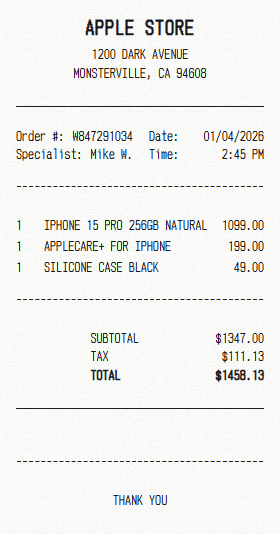
How to Make a iPhone Receipt?
Generate a printable iPhone receipt for free online in three simple steps.
1. Choose iPhone template
Choose iPhone receipt template to make a receipt in seconds.
2. Add your information
Business name
Address
Generate your receipt by editing template items and business information.
3. Download your receipt
Download your personalized free iPhone receipt as PDF or image.
What is included in the iPhone receipt template?
Each template arrives pre-filled with the parts below, all of them editable.
Free iPhone Receipt Generator Features
The parts of the editor you will actually use, all free.
Free to use
Make as many receipts as you need without paying or signing up
PDF export
Save a print-ready PDF at full resolution in one click
Every field editable
Rewrite any line on the template, from the header down to the footer
Thermal paper look
Receipt typefaces and paper textures that read like a printed slip
Up to date templates
We manually update each template each month to make sure it is accurate and up to date
Invoices and bills
Itemise a job or a sale and hand over a clear total
Your own details
Drop in your business name, address, logo and payment method
Runs in the browser
No need to install any software, use on desktop or mobile phone


Frequently Asked Questions
Everything you need to know about our iPhone receipt generator.
What is Receipt Mango?
Can I download the iPhone receipt as PDF?
Is there a receipt generator app?
How do I print a iPhone receipt?
Can I customize the iPhone receipt template?
What receipt types can I create?
What's included in a thermal iPhone receipt?
What does a iPhone receipt look like?
What are the common uses for iPhone receipt template?
- Warranty claims: keep the iPhone purchase details a manufacturer asks for, serial number included.
- Business asset records: log hardware or a subscription against a company budget.
- Expense reports: file the cost with the project it was bought for.
- Insurance records: hold a readable record of what a device cost.